
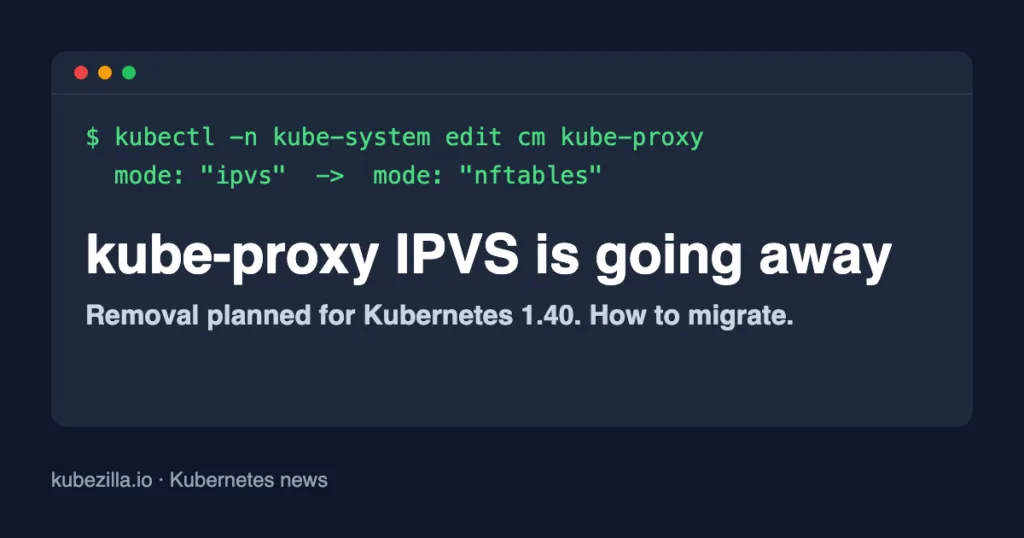
If your cluster runs kube-proxy in ipvs mode, it is time to plan a move. Kubernetes SIG Network has announced that the IPVS backend, already deprecated since Kubernetes 1.35, is scheduled to be removed in Kubernetes 1.40. In this post we explain what is changing, why it is happening, and what you should do about it.
Quick summary
- The
ipvsmode of kube-proxy was deprecated in 1.35 and will be removed in 1.40. - The recommended replacement is the
nftablesmode, which has been GA since 1.33. - If you cannot use nftables yet, the
iptablesmode is a valid fallback and is much faster today than it was a few years ago. - For most clusters, switching is a config change plus a kube-proxy restart.
A short history: why IPVS mode existed
kube-proxy is the component on every node that makes Kubernetes Services work. It watches Services and EndpointSlices and programs the Linux kernel so that traffic sent to a Service IP lands on a healthy Pod.
The original iptables mode had two scaling pains in large clusters. First, each new connection had to walk a long list of rules, one per Service, so lookups slowed down as the cluster grew. Second, and worse, kube-proxy rewrote the whole ruleset every time any Service or endpoint changed. In very big clusters that could keep a full CPU core busy just processing updates.
IPVS mode was added to fix both. The kernel IPVS subsystem uses hash tables instead of a linear list, and kube-proxy could update only what changed instead of rewriting everything.
So why is it being removed?
IPVS solved the original problems but brought new ones:
- It never fully matched Service behaviour. The kernel IPVS API is a poor fit for the Kubernetes Services API, so some edge cases were never handled correctly.
- It still leaned on iptables. IPVS only does basic load balancing, so kube-proxy had to use iptables and ipset for many other Service features. That brought back some of the same scaling limits.
- No batch updates. IPVS is fast for a few small changes but can be slower than iptables when many things change at once.
- Maintenance cost. The code is complex and very different from the other two backends, and the original authors moved on.
- Distro support. Because IPVS mode depends on iptables, it is affected by Red Hat’s plan to drop the iptables API from RHEL.
Many people also liked IPVS for its choice of load balancing “schedulers”. In practice these do not help much with kube-proxy. Each node runs its own kube-proxy and does not share scheduler state with other nodes, so even smart schedulers usually end up no better than random selection.
Option 1: switch to nftables (recommended)
nftables mode is the long-term path. It is feature complete, fully supported, and in upstream benchmarks its connection latency is about the same as IPVS, and slightly better in some cases. Use it if:
- You run Kubernetes 1.36 or newer (some performance fixes were not backported to older releases), and
- Your nodes run Linux kernel 5.13 or newer.
On a kubeadm cluster, edit the kube-proxy ConfigMap and change the mode:
kubectl -n kube-system edit configmap kube-proxy

# change
mode: "ipvs"
# to
mode: "nftables"
Then restart the kube-proxy Pods:
kubectl -n kube-system rollout restart daemonset kube-proxyIf you set any IPVS specific options in your kube-proxy config (for example under the ipvs: section), move them to the matching nftables: options. Managed Kubernetes services usually expose this as a cluster setting, so check your provider’s docs.
Option 2: switch to iptables
If you are on an older Kubernetes version or an older Linux distribution that cannot run nftables mode, iptables mode is a reasonable choice. It has improved a lot since 2017. The rules it generates are leaner, the code does far less repeated work, it no longer reads the full ruleset before every update, and it now only updates rules for Services that actually changed.
It is still not quite as fast as IPVS at very large scale, but many teams that found iptables too slow years ago will be fine with it today.
The switch is again a config change, but upstream recommends rebooting each node after changing the mode, rather than only restarting kube-proxy.
A simple migration checklist
- Check your current mode:
kubectl -n kube-system get cm kube-proxy -o yaml | grep mode - Check node kernel versions:
kubectl get nodes -o wide - Pick nftables if you are on 1.36+ with kernel 5.13+, otherwise iptables.
- Try the change on a test or staging cluster first and run your Service and NetworkPolicy tests.
- Roll it out node pool by node pool and watch Service latency and error rates.
- Finish the move well before you upgrade to Kubernetes 1.40.
Learn more
- Scheduling the removal of the kube-proxy IPVS backend on the official Kubernetes blog
- KEP-5495, which has the full deprecation and removal timeline
- NFTables mode for kube-proxy on the Kubernetes blog
Are you still running IPVS mode in production? Tell us what is holding you back from switching.